
I skipped posting on July 1st and 2nd because I was heads down actually building the thing this blog is about. Here is the catch up post, then I will move to regular build log entries going forward.
What this project is
I am building a home detection lab as the centerpiece of my portfolio for SOC analyst and CTI job applications. The goal is to run real attacks against a Windows target, watch them show up in a SIEM, then write the detection logic myself instead of just reading about how someone else did it.
The lab covers three attack techniques mapped to MITRE ATT&CK:
- T1110, brute force login
- T1003, Mimikatz credential dumping
- T1059.001, malicious PowerShell execution
For each one the plan is the same: run the attack, capture it in the SIEM, write a Sigma detection rule for it, then document the whole thing with an ATT&CK mapping.
The setup
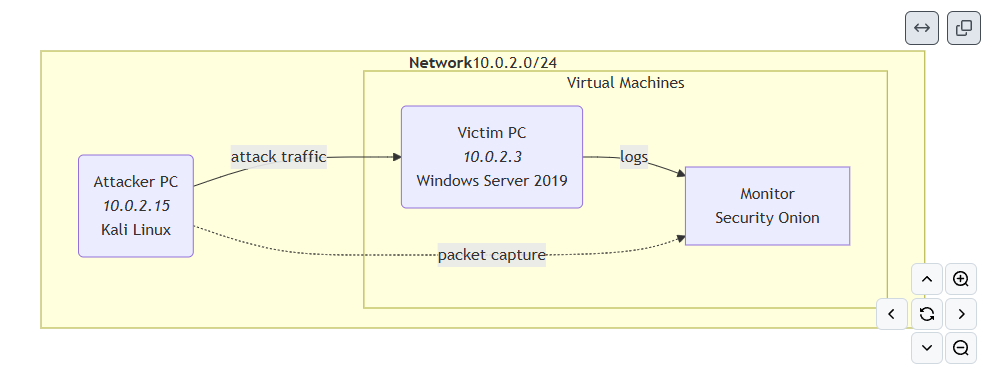
Everything runs on one physical machine, a Ryzen 9 5900X with 32GB of RAM, using VirtualBox to host three virtual machines:
- Security Onion, running as the SIEM and sensor. It watches network traffic and log data and is where detections actually get confirmed.
- A Windows Server 2019 box, playing the role of the victim.
- Kali Linux, playing the role of the attacker.
All three sit on a single VirtualBox NAT Network so Security Onion’s sniffing interface can see traffic between Kali and the victim, which is the whole point of the setup. Getting this network topology right took longer than expected. The original plan was more complicated than it needed to be, and simplifying down to one shared network was the fix.
I am not going to post exact resource specs for Security Onion Eval mode here since I found conflicting numbers across my own notes and have not pinned down which is current. Check Security Onion’s official docs if you are trying to replicate this.
Where you can follow along
Findings, Sigma rules, and writeups are going into the repo as I go: detection-lab on GitHub
What happened July 1st
This was the scoping and setup day.
- Decided on Security Onion as the SIEM after going back and forth on whether Splunk or Elastic would look better on a resume. Security Onion has less market share, but I decided to go with it anyway for this build.
- Mapped out the three attack scenarios and how each one ties to ATT&CK.
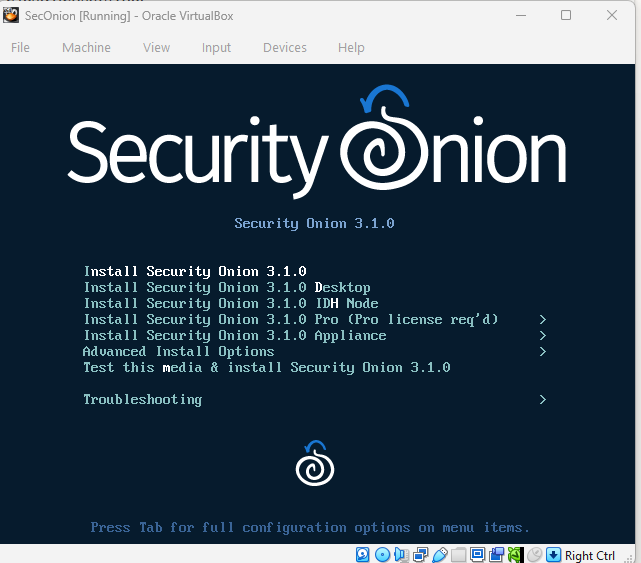
- Installed Security Onion and confirmed the web console came up and worked.
- Created the Windows Server 2019 victim VM and started the OS install.
- Spent a chunk of time working out the network design, including a detour into a more complicated bridged setup before landing on the simpler shared NAT Network approach.
- Set up the GitHub repo and configured Claude Code to push to it directly.
What happened July 2nd
This was the day things actually started running.
- Fixed a Security Onion login freeze that turned out to be a resource allocation issue.
- Installed Guest Additions across the VMs where supported. Security Onion runs on a Linux distribution that does not officially support Guest Additions, so that one was skipped on purpose.
- Confirmed Security Onion’s sniffing interface was actually capturing traffic using tcpdump before trusting the GUI.
- Chased down a networking bug where Kali’s network adapter had reset to the wrong mode, which was sending scans to VirtualBox’s internal DHCP service instead of the actual victim machine.
- Fixed a separate DNS problem on Kali where the resolver was pointed at reserved test addresses instead of real DNS servers.
- Built a password variant generator tool, first in Python then rewritten in Rust for speed, which takes a base wordlist and produces variants using capitalization, leetspeak substitutions, year suffixes, and special character patterns. Hit a memory ceiling on large inputs that still needs a fix.
- Ran the brute force attack from Kali against the victim using a generated wordlist and confirmed the login attempts showed up in Security Onion’s Hunt dashboard. This closes out the first scenario at the detection confirmation stage. The Sigma rule and writeup for it are still pending.
What’s next
Mimikatz scenario is up next, then PowerShell execution. From here on, updates will be regular build log posts as each piece gets done instead of these longer recaps.